AI & Data
Build Data Agents on Snowflake: A Review
The evaluation framework is genuinely good and worth keeping. The in-warehouse AI half is where I'd walk away.
I Took the “Build Data Agents on Snowflake” Course. The Eval Framework Is Great. The Snowflake AI Part Is Where I’d Walk Away.
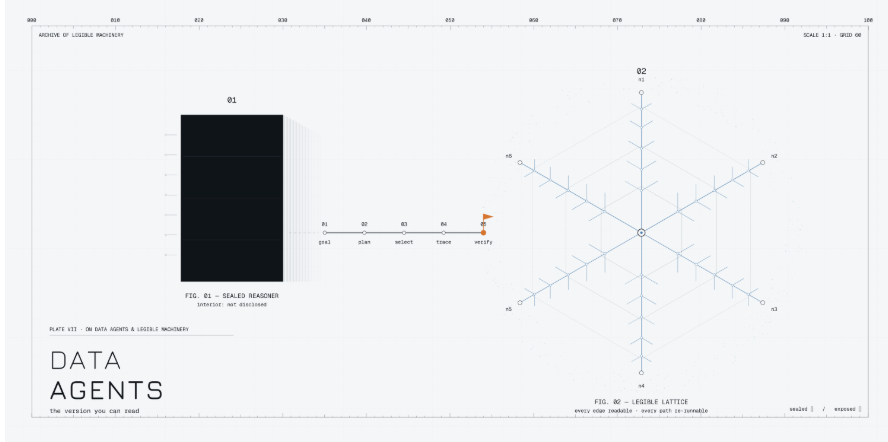
I recently went through DeepLearning.AI’s short course on building and evaluating data agents. Two things are true at once: the evaluation half is genuinely good and I’ll use it for years, and the “let Snowflake’s built-in AI be your agent” half leaves me cold. The tell is in the course’s own demos — the flagship multi-source query fails on camera, twice, and one run dies because the agent “had issues accessing Snowflake.” When the vendor’s own scripted walkthrough can’t complete the hard query, that’s not a bug to gloss over. That’s the signal.
So this post does two things. First, I’ll pull out the part of the course that’s worth keeping. Then I’ll show you the setup I’d actually ship: a coding agent — Claude Code, Cursor, whatever you like — talking to Snowflake through a thin, auditable connection, with the reasoning in a frontier model you can inspect and Snowflake demoted back to what it’s great at: being a warehouse.
What a “data agent” actually is
Strip the marketing and a data agent is an LLM-driven loop that sets Goals, Plans, and Acts — the course calls it GPA. A planner turns your question into ordered sub-goals; an executor picks a tool per step (web search, SQL, document retrieval, charting); results feed back; it replans if it’s stuck; it synthesizes an answer. That’s it. Deep-research features you already use are the same shape.
The architecture in the course is a hierarchical LangGraph: planner → executor → {web researcher, SQL/retrieval agent, chart generator, summarizer, synthesizer} → back to executor. Nothing controversial there. It’s a sensible pattern and you can rebuild it in any orchestration framework.
The part worth stealing: how to evaluate the agent
This is where the course earns its keep, and it’s model- and vendor-agnostic. Two layers.
The RAG triad (retrieval quality):
- Context relevance — was the data each sub-agent retrieved actually relevant to its sub-question?
- Groundedness — is the final answer supported by that retrieved data, or is the model confabulating?
- Answer relevance — does the final answer address the user’s original question?
Agent GPA (reasoning quality), four LLM-as-judge scores over the execution trace:
- Plan quality — does the plan actually achieve the goal? (Intersection of goal + plan.)
- Plan adherence — did the agent’s actions follow its own plan? (Plan + action.)
- Execution efficiency — was the path optimal, or full of redundant retrievals and duplicate work? (Goal + action.)
- Logical consistency — does the trace contradict itself (96 leads in step one, 113 in step two, no explanation)? (All three.)
The reason this matters: agents fail in distinct ways, and a single “was the answer good?” score hides which. A response can be perfectly relevant (answer relevance = 1) but ungrounded (groundedness low) because the retrieval was junk. A plan can be excellent and then ignored entirely at execution time (plan quality high, plan adherence = 0). If you only measure the final answer, you can’t tell a retrieval problem from a planning problem from an adherence problem — and you’ll “fix” the wrong thing.
Keep this framework. It’s the real deliverable of the course. It has nothing to do with Snowflake and everything to do with running agents responsibly. The single most useful move the course shows is turning an eval into an inline signal — score the retrieval step right after it runs, feed the score and explanation back into the agent’s memory, and let it decide to dig deeper or replan. That’s the difference between an agent that fails silently and one that self-corrects.
Where I get off the bus: the in-warehouse LLM layer
The course’s data half wires the agent into Snowflake’s Cortex stack — Cortex Analyst (text-to-SQL over a semantic model), Cortex Search (managed hybrid retriever over unstructured text), and Cortex Agents (a stateless orchestrator over both). It’s slick in the demo. My objections are practical, not ideological:
- The thing generating your SQL is a black box you can’t easily evaluate. The whole first half of the course is about tracing and grading every step. Then the data half hands the most consequential step — turning a question into SQL against your financials — to a managed service whose prompt, model, and translation logic you don’t see. You can grade the output, but you can’t inspect how it got there or reproduce it deterministically.
- The semantic model is real, ongoing work that the demo hides. Cortex Analyst is only as good as a hand-authored semantic YAML describing every column, value, and synonym. That file is a living artifact someone has to maintain as schemas drift. The course ships a pre-built one and moves on. In production, a stale semantic model is a silent correctness bug — the SQL runs, returns a number, and it’s wrong.
- Lock-in and cost. Your agent’s intelligence now lives inside one warehouse vendor, billed per token on their terms, upgradeable on their schedule. Swapping to a better frontier model next quarter means rebuilding, not changing a config line.
- The demos didn’t work. The chart summarizer “failed to respond with a nice textual answer” — repeatedly. The hard cross-source query (pending deals × regulatory changes × meeting notes) came back unable to reason about the request. A run died on Snowflake access. These are the scripted examples. That’s the honest evidence, and it points the same way my gut does.
To be fair, Cortex is the right call for some teams: non-technical business users who need governed self-serve BI, a hard requirement that data never leave the warehouse, and no appetite to run any infrastructure. If that’s you, take the governance and skip the rest of this post. For analysts and engineers who want transparency, model choice, and control, read on.
The setup I’d actually ship: a coding agent + a thin Snowflake connection
The idea: keep planning and reasoning in a frontier model inside a coding agent you can watch (Claude Code, Cursor, Cline, …). Give it Snowflake through a small, read-only, auditable tool over MCP (Model Context Protocol). Snowflake goes back to being a warehouse. Every “retrieval” the agent does is now a SQL statement you can read, re-run, and diff — which, ironically, makes it far more evaluable than the Cortex path the course spends four lessons trying to make observable.
Here’s the whole thing.
1. A locked-down service account (this is the real security boundary)
Do not point an agent at your personal login. Create a dedicated user with a role that physically cannot write, and authenticate with a key pair, not a password.
sql
-- read-only role: no INSERT/UPDATE/DELETE/MERGE granted, everCREATE ROLE AR_AGENT_READONLY;
GRANT USAGE ON WAREHOUSE WH_AGENT_XS TO ROLE AR_AGENT_READONLY;GRANT USAGE ON DATABASE ANALYTICS TO ROLE AR_AGENT_READONLY;GRANT USAGE ON ALL SCHEMAS IN DATABASE ANALYTICS TO ROLE AR_AGENT_READONLY;GRANT SELECT ON ALL TABLES IN DATABASE ANALYTICS TO ROLE AR_AGENT_READONLY;GRANT SELECT ON ALL VIEWS IN DATABASE ANALYTICS TO ROLE AR_AGENT_READONLY;GRANT SELECT ON FUTURE TABLES IN DATABASE ANALYTICS TO ROLE AR_AGENT_READONLY;GRANT SELECT ON FUTURE VIEWS IN DATABASE ANALYTICS TO ROLE AR_AGENT_READONLY;
CREATE USER SVC_AGENT DEFAULT_ROLE = AR_AGENT_READONLY DEFAULT_WAREHOUSE = WH_AGENT_XS RSA_PUBLIC_KEY = 'MIIBIj...'; -- paste the .pub contentsGRANT ROLE AR_AGENT_READONLY TO USER SVC_AGENT;
Generate the key pair locally:
bash
openssl genrsa 2048 | openssl pkcs8 -topk8 -inform PEM -out rsa_key.p8 -nocryptopenssl rsa -in rsa_key.p8 -pubout -out rsa_key.pub
The read-only role is the guarantee. Any in-code “reject non-SELECT” check is a convenience; the grant model is what makes a destructive statement impossible.
2. Handle PII before you connect anything
This is the honest tradeoff with a coding agent: query results travel to your model provider. Solve it at the warehouse so cleartext PII never leaves. Put a masking policy on the sensitive columns and point the agent at views that are already safe:
sql
CREATE MASKING POLICY mask_pii AS (val STRING) RETURNS STRING -> CASE WHEN CURRENT_ROLE() IN ('AR_PII_READER') THEN val ELSE '***MASKED***' END;
ALTER TABLE ANALYTICS.CORE.CUSTOMERS MODIFY COLUMN EMAIL SET MASKING POLICY mask_pii;
AR_AGENT_READONLY is not in the unmask list, so the agent sees masked values by construction. Add a resource monitor and a statement timeout so a runaway agent can't run up a bill or pin the warehouse:
sql
ALTER WAREHOUSE WH_AGENT_XS SET STATEMENT_TIMEOUT_IN_SECONDS = 120;CREATE RESOURCE MONITOR RM_AGENT WITH CREDIT_QUOTA = 20 TRIGGERS ON 100 PERCENT DO SUSPEND;ALTER WAREHOUSE WH_AGENT_XS SET RESOURCE_MONITOR = RM_AGENT;
3. A ~50-line MCP server you fully control
You can use Snowflake’s official MCP server, but the point of this approach is no black boxes, so here’s a thin one you can read end to end:
python
# snowflake_mcp.pyimport os, jsonimport snowflake.connectorfrom cryptography.hazmat.primitives import serializationfrom mcp.server.fastmcp import FastMCP
mcp = FastMCP("snowflake-readonly")
def _pkey(): with open(os.environ["SNOWFLAKE_PRIVATE_KEY_PATH"], "rb") as f: key = serialization.load_pem_private_key(f.read(), password=None) return key.private_bytes( serialization.Encoding.DER, serialization.PrivateFormat.PKCS8, serialization.NoEncryption(), )
def _conn(): return snowflake.connector.connect( account=os.environ["SNOWFLAKE_ACCOUNT"], user=os.environ["SNOWFLAKE_USER"], private_key=_pkey(), role=os.environ.get("SNOWFLAKE_ROLE", "AR_AGENT_READONLY"), warehouse=os.environ.get("SNOWFLAKE_WAREHOUSE", "WH_AGENT_XS"), )
READ_ONLY = ("select", "with", "show", "describe", "explain")
@mcp.tool()def run_query(sql: str) -> str: """Run a read-only query against Snowflake. Returns up to 1000 rows as JSON.""" if not sql.strip().lower().startswith(READ_ONLY): return "Rejected: this server accepts SELECT/WITH/SHOW/DESCRIBE/EXPLAIN only." con = _conn() try: cur = con.cursor() cur.execute("ALTER SESSION SET QUERY_TAG = 'agent_mcp'") cur.execute(sql) cols = [c[0] for c in cur.description] rows = [dict(zip(cols, r)) for r in cur.fetchmany(1000)] return json.dumps(rows, default=str) finally: con.close()
if __name__ == "__main__": mcp.run()
The QUERY_TAG means every agent query is filterable in your query history — you get a complete, timestamped audit trail of exactly what the agent ran, for free.
4. Wire it into your agent
Claude Code — drop a .mcp.json in the project root (or run claude mcp add):
json
{ "mcpServers": { "snowflake": { "command": "uv", "args": ["run", "python", "snowflake_mcp.py"], "env": { "SNOWFLAKE_ACCOUNT": "xy12345.ap-south-1", "SNOWFLAKE_USER": "SVC_AGENT", "SNOWFLAKE_PRIVATE_KEY_PATH": "/secrets/rsa_key.p8", "SNOWFLAKE_ROLE": "AR_AGENT_READONLY", "SNOWFLAKE_WAREHOUSE": "WH_AGENT_XS" } } }}
Cursor — the identical mcpServers block goes in .cursor/mcp.json. Same shape, same server.
5. Give it context — but keep it in version control
Cortex Analyst needs that opaque semantic YAML. You need context too, but put it in a SCHEMA.md the agent reads: table grain, what each non-obvious column means, join keys, gotchas ("amount is in paise", "always filter is_current = true"). It's the same idea as a semantic model, except it's plain text, diffable, and reviewed in pull requests. When someone changes a definition, it shows up in a code review — not as a silent wrong number three weeks later.
6. Now bolt the course’s eval framework back on — with an unfair advantage
Everything from the good half still applies: score groundedness, plan adherence, execution efficiency over the trace. Except now the “retrieved context” for every structured step is a SQL statement you can read and re-execute. Groundedness on structured data stops being a fuzzy LLM-judge call and becomes deterministic: run the agent’s SQL yourself; do the numbers match the claim? You’ve turned the hardest thing to evaluate in the Cortex setup into the easiest thing to evaluate in this one.
The one tradeoff you can’t wave away
Coding-agent-plus-MCP means result rows leave the warehouse for your model provider. Cortex keeps everything in-house. If you handle regulated or restricted data, that’s not a footnote — it’s the deciding factor. The mitigations above (mask at the warehouse, scope the role to safe views, prefer aggregates over row-level pulls, keep a full query-tag audit trail) make it defensible, but you own that decision. Make it on purpose.
Verdict
Take the course for its evaluation framework — GPA and the RAG triad are the real thing, and inline evals that feed back into the agent are the technique that makes agents reliable instead of confidently wrong. Be more skeptical of the pitch that your warehouse vendor should also be your reasoning engine. For most people who can read SQL, a transparent coding agent over a locked-down, read-only Snowflake connection gives you better control, better auditability, model portability, and — genuinely — easier evaluation, because the trace is just SQL you can re-run. The vendor magic looks great in a demo. I want the version I can read.
This article is also published on Medium.